Guide · 8 minute read · 21 October 2026
How to add your own domain to an app you made with AI
Your app is online at a free address, and you'd like it at a name of your own, like crumbbakery.com. That takes two things: the name, which you rent by the year, and a record that points the name at your app. Here are the steps in order, and what to check if it stalls.
What you're setting up
A domain name is rented by the year from a company called a registrar. Owning it doesn't put anything online by itself. The name has a list of settings called DNS records, and one of them tells browsers where your app lives.
So the job has three parts. You buy the name. You add the record your host gives you. Then your host notices the name pointing at it and sets up the certificate that gives the address its padlock.
Choosing the name
- Say it out loud to someone. If you have to spell it, choose another.
- Check the renewal price as well as the first year. Some endings cost a few dollars to start and many times that every year after.
- A
.comis still what most people type without thinking. Other endings work the same way technically. - Leave out hyphens and numbers unless they're part of the name. They're easy to get wrong when someone hears the address.
What the address costs each year, and the rest of an app's running costs, are in our guide to running costs.
Buying it
Buy it in your own name and in an account you control, even if someone else is helping you. Turn on automatic renewal and use an email address you read. A name that expires because the reminder went to an old inbox can be bought by someone else, and getting it back is hard.
The bare name or www
crumbbakery.com is the bare name. www.crumbbakery.com is a separate name that happens to start with www. They take different records, and a host treats them as two addresses.
- The bare name usually takes an A record, which points at a number: an IP address your host gives you.
- www, or any other name in front, like
shop.crumbbakery.com, takes a CNAME record, which points at another name your host gives you.
Decide which one you'll print and share, and set that one up first. If you want both to work, add both, then have one send visitors to the other. Your host or registrar calls this a redirect.
The bare name
crumbbakery.com
An IP address, from your host
A name in front
www.crumbbakery.com
Another name, from your host
Adding the record
- Sign in to the registrar and open the domain. Look for a section called DNS, DNS records or Manage DNS.
- Add a record with the type, host and value your host gave you. In the host field,
@means the bare name. - For www, type only
wwwin the host field. Most registrars add the rest of the name for you, and typing the whole thing makeswww.crumbbakery.com.crumbbakery.com. - Leave TTL, the time other computers remember the record, at its default.
- Delete any old record with the same host. A new registration often comes with a parking page record for
@, and the old one can win over yours. - Save, and copy the value once more, character by character. One stray letter is the most common reason nothing happens.
| Type | Host | Value | TTL |
|---|---|---|---|
| A | @ | 203.0.113.10 | Auto |
| CNAME | www | crumb.saturnship.app | Auto |
| A | @ | parking page | Delete |
www Host: www.crumbbakery.comWhere the records go
Records only count where the domain's nameservers point. Nameservers are the computers that answer for your name. Usually they belong to the registrar, so the records go there.
If the domain uses other nameservers, for example because you once set it up with a website builder or a DNS service, the registrar will say so on the domain's page, and its own DNS settings are ignored. Add the record wherever those nameservers are managed instead.
Waiting, and the padlock
A new record is usually seen within minutes, and sometimes takes a few hours. Computers that already looked the name up remember the old answer until its TTL runs out, which is why the change can reach some people before others.
Once the name points at your host, the host can issue the certificate for it. Until then, a visitor may see a warning that the connection isn't private. Wait for the padlock before you share the new address.
If it doesn't work
- The record is at the registrar, but the nameservers point somewhere else. Add it there.
- An old record for the same host is still there. Delete it.
- The host field says
www.crumbbakery.cominstead ofwww, so the record is for a different name. - A typo in the value. Compare it with your host's, character by character.
- Your own computer remembers the old answer. Try a private window, or a phone on mobile data.
- It hasn't been long enough. Give it an hour before changing anything, because each change starts the wait again.
Your own domain on saturn
Every app saturn puts online gets a free address of its own, like crumb.saturnship.app, with the padlock, the moment it's live, and that address keeps working after you add your own.
To add a name, open your project, go to Domains and choose Add a domain. You can use a domain you already own or find a new one. For a name you own, saturn shows the one record to add, with the value to copy: a CNAME pointing at your free address for www or any other name in front, or an A record for the bare name. It then checks the name, sets up the padlock, and shows where it's up to.
Each name is added on its own, so to use both the bare name and www, add both.
If you find a new name through saturn, you pay what the name costs saturn, with nothing added, together with your hosting. It's registered to you the moment you pay, it's yours to keep, and it can't be refunded. It renews automatically.
01Open your project and go to Domains. Your free address is at the top. Choose Add a domain.
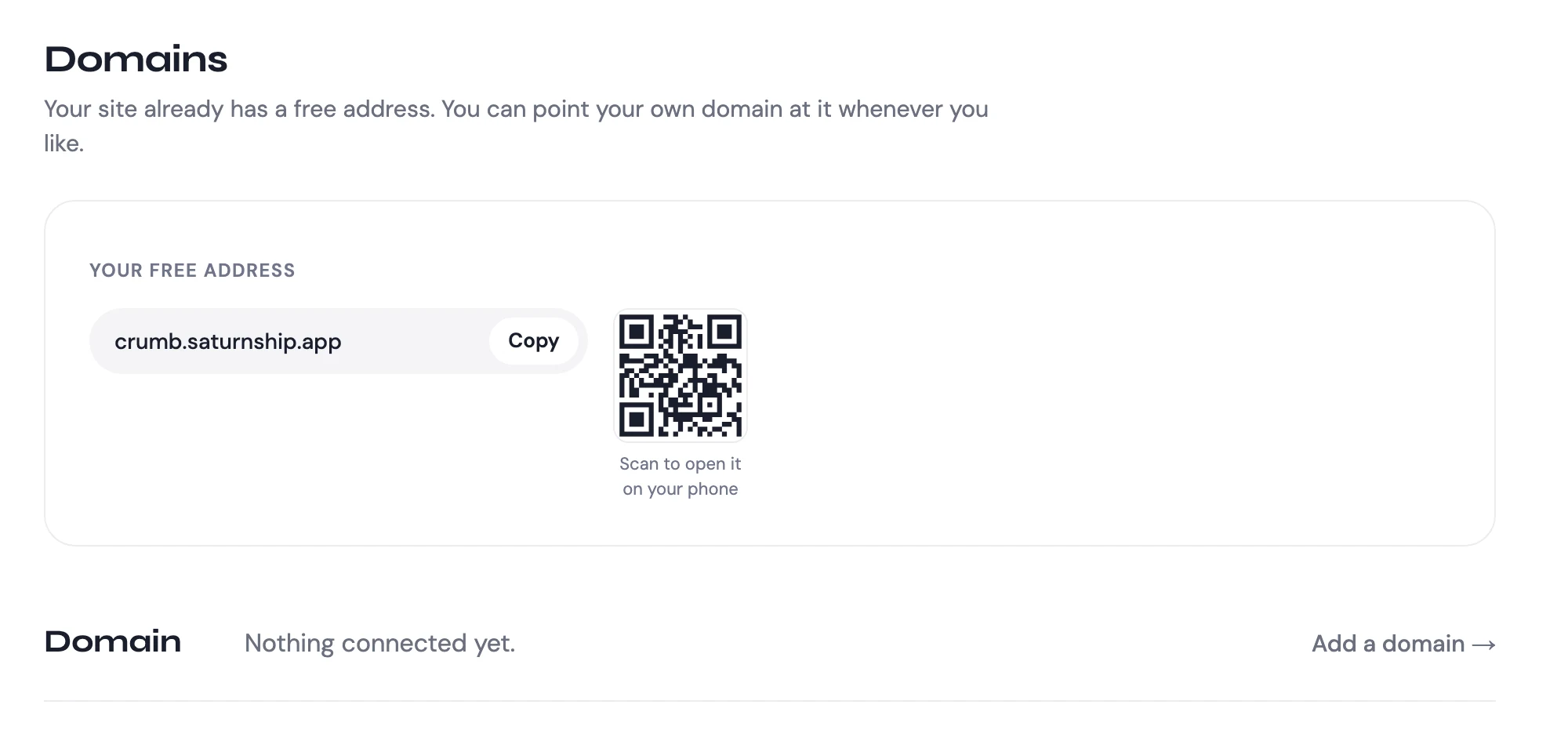
02Use a domain you already own, or find a new one.

03Type the name you own and choose Connect it.

04saturn shows the one record to add where you keep your domain, then checks for it.
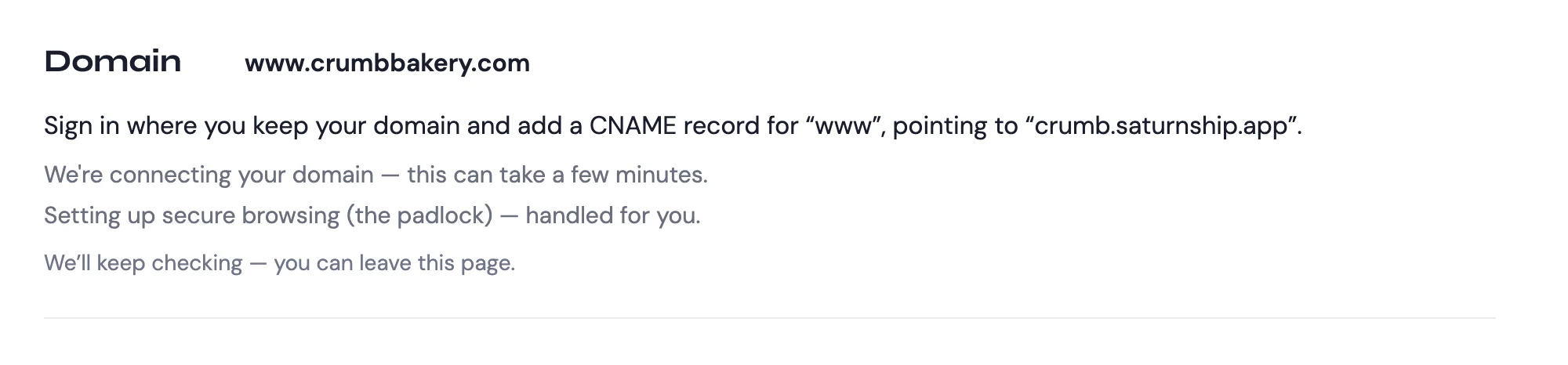
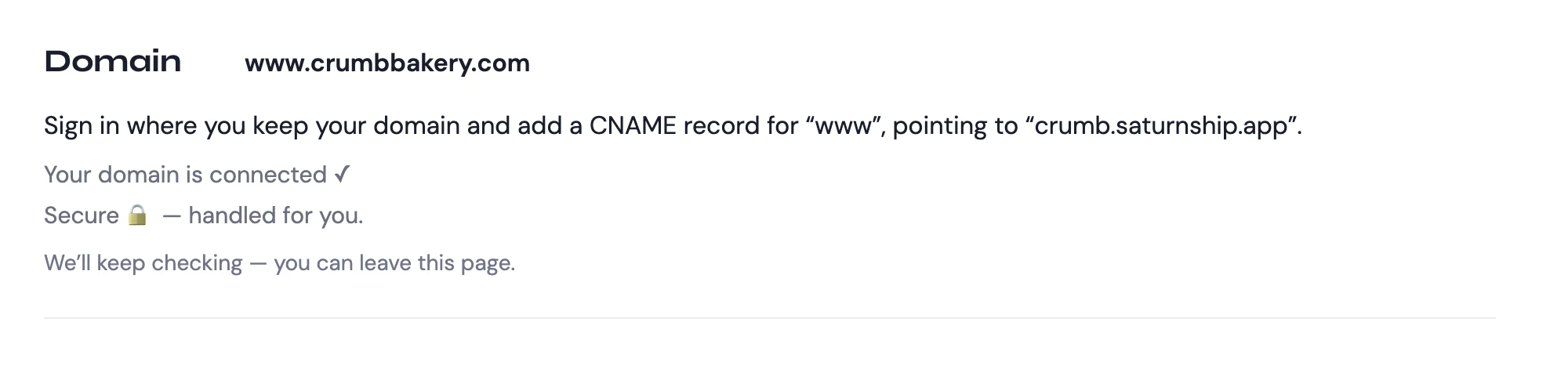
05Once the record is found, the name is connected and the padlock is set up for you.
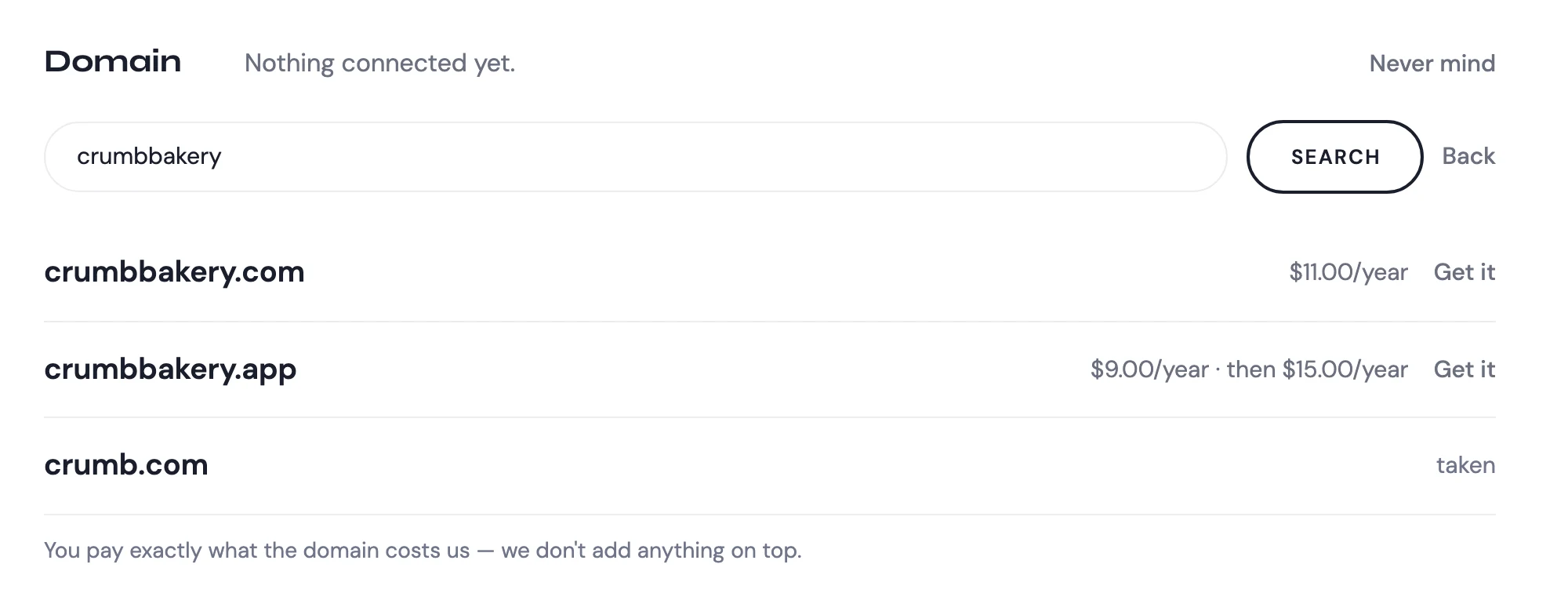
06Or search for a new name. Each one shows its first year and what it renews at.